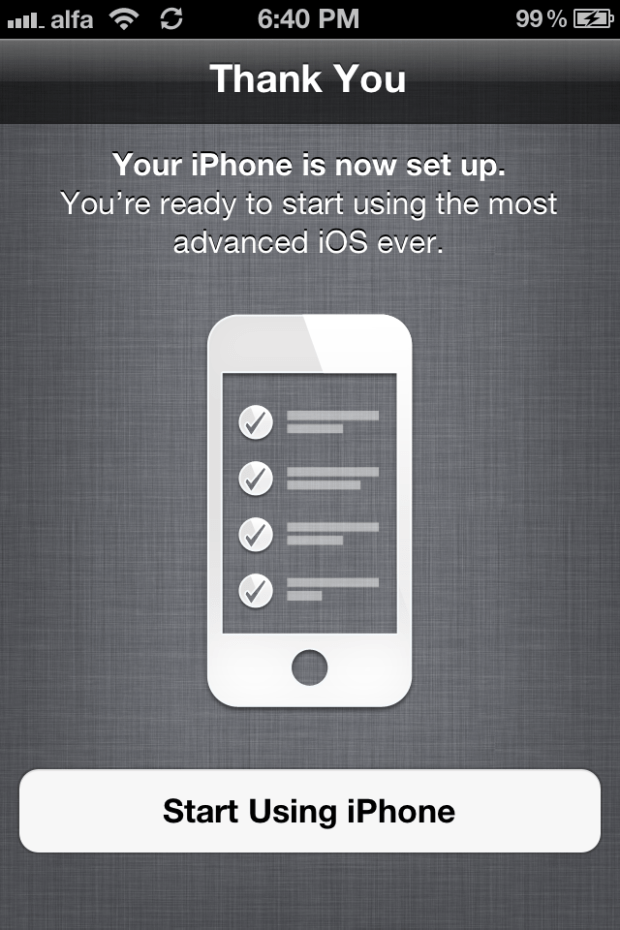
Ever since Apple unveiled the new iOS 5 features about two weeks ago, I was itching to try them out. The beta was released and I had refrained from updating, thinking it was too buggy. But I couldn’t hold out anymore and I took the plunge. And I have to say, it was a good decision on my part.
I am the type of people who hate jailbreaking because I don’t see its use. I was forced to jailbreak my original iPhone in order to be able to use it in Lebanon and felt its performance get affected a lot. Therefore, I refrained from doing so to all iPhone updates that I purchased.
And even though iOS had many shortcomings (no operating software is perfect after all), I felt it was enough considering what I used of the phone. Flash-based games or websites are almost useless to me and, well, I felt the negative aspects about iOS could be compensated for by the wide array of brilliant apps, most of which were free, as well as the top-notch hardware that was running the OS.
I’m almost against people who like to jailbreak just to get cracked apps for free. I’d rather pay $0.99 and keep my phone’s operating system intact, but that’s just me.
This post was written with extensive input from a friend of mine that I met because of iOS 5. David Schoborg’s input will be present along with mine, although his will also hold comparison to the other leading platform: android.
David:
Like Elie, when I heard about new feature set in iOS 5 I was quite excited. I have a pretty extensive history with Android, and was pushed into this Apple universe when my wife wanted a smartphone. I’m not just an end user, I’m a power user. I’m that guy that gleefully flashed ROMs, kernels and alike on a plethora of Android phones. Bricking my phone? A risk worth the reward. Yep, I admit it, I’m a gadget geek.
Her desire to join me in the age of mobile presented a bit of a problem. Was I going to be able to survive in, what I considered at the time, this dumbed down experience?
All in all, I’ve had a great experience with my iPhone and iPad. Great applications, great hardware, best in class battery life, but lacking in one major area: the notifications are the worst I’ve ever had to deal with!
SMS? I’m being interrupted. IM? Again, interrupted. Let me tell you, there’s nothing like having your camera app ready to go, getting ready to capture that perfect picture and being interrupted with an IM reminding you to pick up milk on the way home. Trust me, it stinks.
So, I resulted to jailbreaking my phone, because it was so bad that I couldn’t deal with it, especially after using Android, and enjoying unobtrusive notifications.
Then came iOS 5. I’ve been running it for 2 weeks, jailbreak free, and the little things here are what make it great. I’m going to share some of my experience with iOS 5 and compare it to my Android experience.
– iMessage:
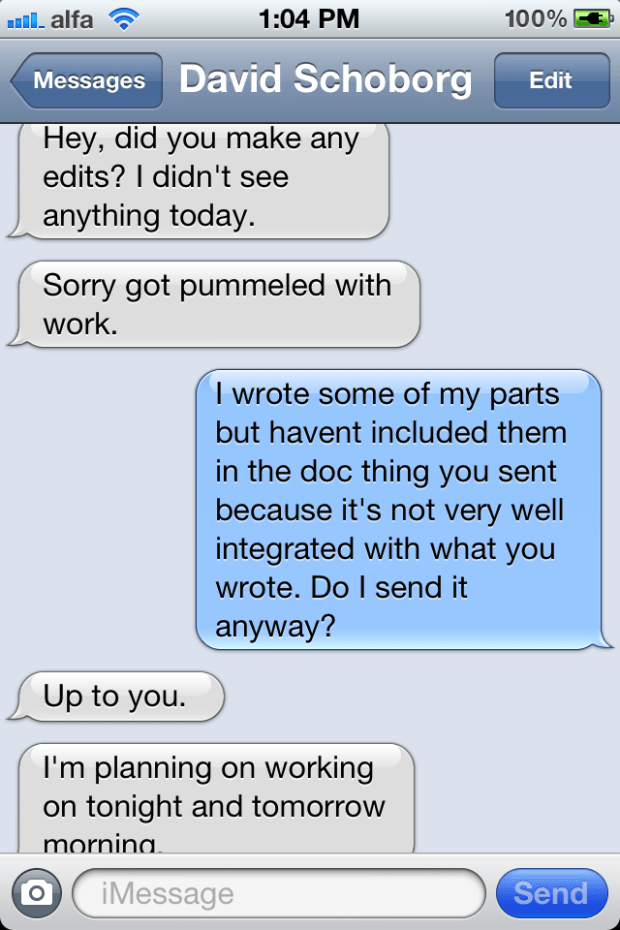
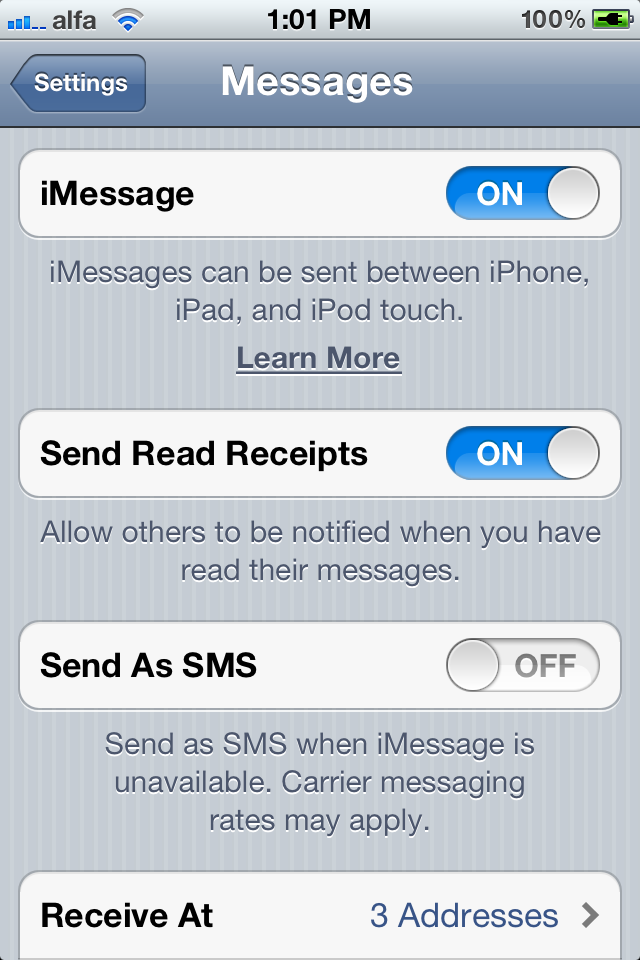
I cannot stress how easy and smooth the whole iMessage process has been. You go into messages in settings, set it up with a simple click (yes, it’s an on/off button) and a few minutes later, you’re good to go. You can enable iMessage to work on many IDs: phone number, different emails and you can also set your caller ID to be any of those verified emails or phone number.

And then you just chat with whoever you want. In my case, I’ve been extensively chatting with Dave (our iMessage thread has like 500 messages so far). And the whole thing goes without a hitch (unless you factor in Lebanese internet but that’s not Apple’s fault).
This is basically how iMessage works. You type in the name of the person you want to text and the iPhone checks if this person’s number or email is registered in Apple’s database as a user of iOS 5. If the number or email check out, the phone switches to iMessage. It’s that simple. No extra iMessage application, it’s all integrated.
– Notifications:
Elie: Unlike popular belief, I was never bothered by the iPhone’s notification system. It could be that I never used – nor do I intend to – android but, even though it was intrusive, I went without a notification system for over two years with my original iPhone.
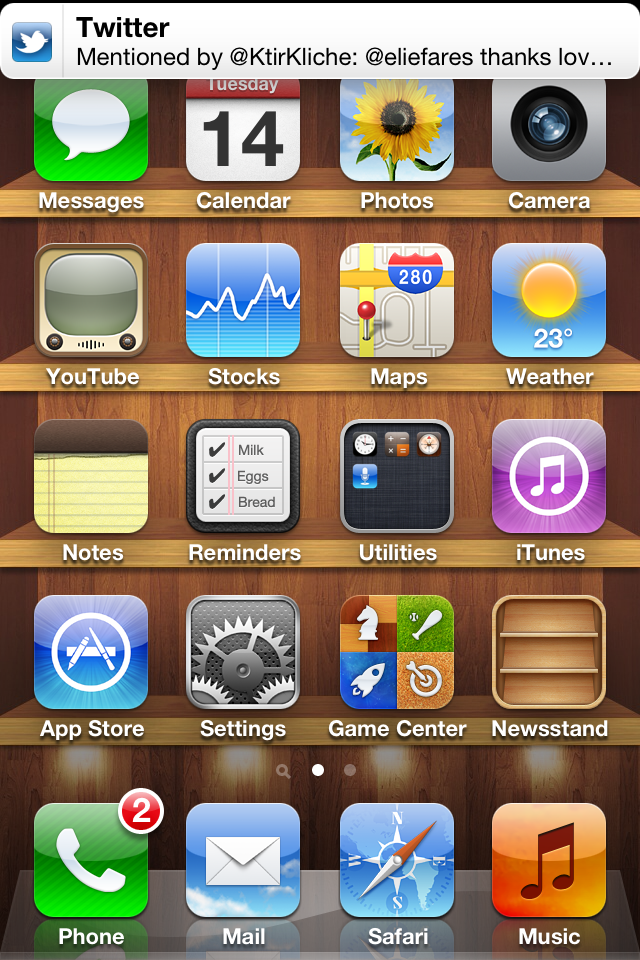
But when I started using iOS 5 along with its new notification system, my whole use of the iPhone got so much better. I no longer had to press the “dismiss” button whenever someone texted while playing Doodle Jump or Whatsapping someone.
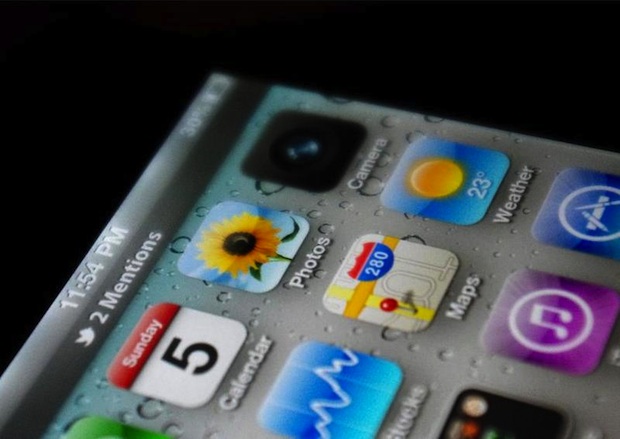
There was simply a thin bar at the top of the screen with whatever notification I got inside it.
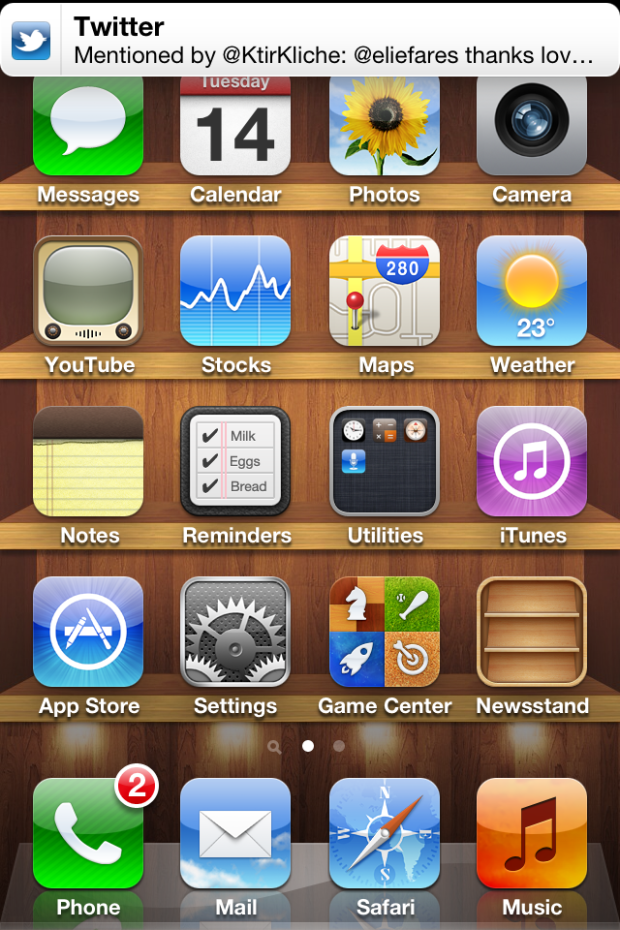
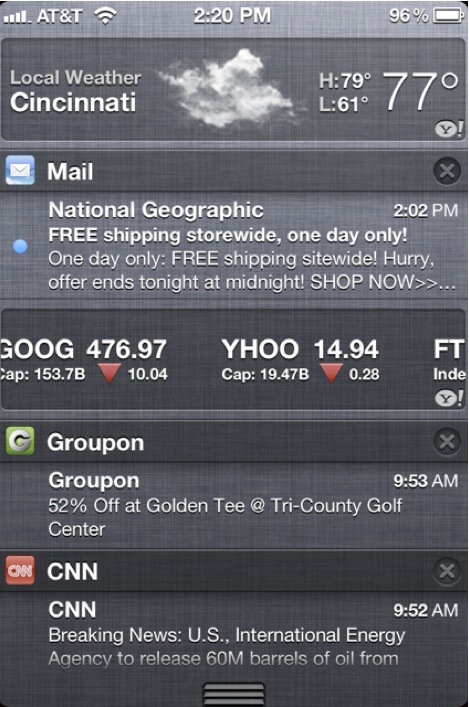
And if I missed the notification, I could pull a notification center screen from the top by dragging it down and it would have all my notifications there. I could simply click on one of them, go to the corresponding app and respond accordingly.
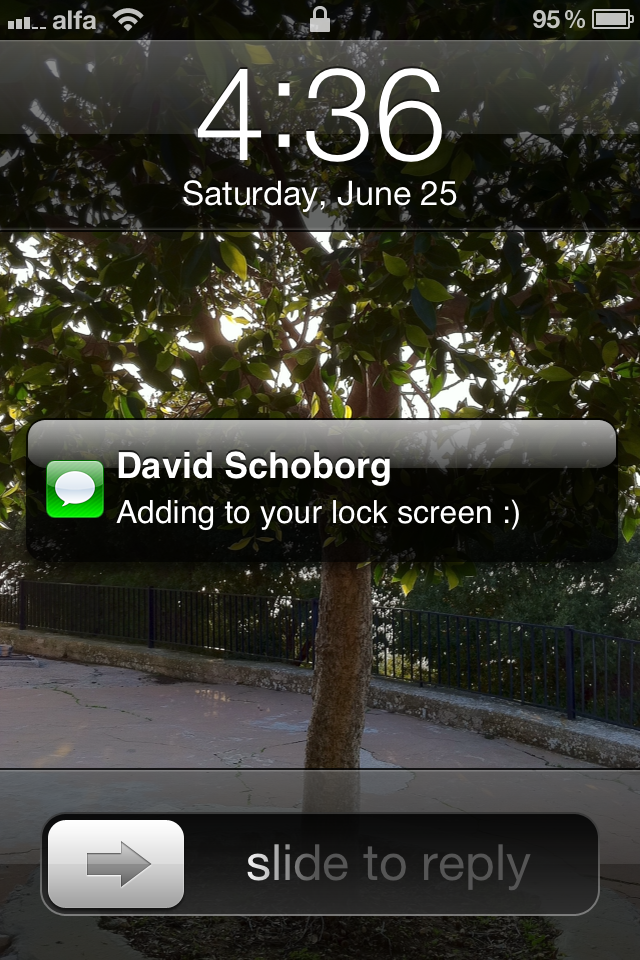
Moreover, the lockscreen allows you to answer specific notifications by sliding across them.
And David agrees with me as well.
David: In all honesty, iOS does a better job than Android here. The concept is similar to Android, creating a notification pulldown from the status bar where you can see what’s occurred, and deal with it on YOUR terms. You drag down from the bar, and it’s all there.

What I like about this approach more is that the notifications give you more information that what you currently get from Android. You can read the first few lines of an email, message, or that alert from CNN that used to interrupt your round of Angry Birds, can now be read and dealt with at your leisure.
Also, you have a couple of Apple provided widgets (Stocks, Weather) that are pretty helpful as well. Weather is finally geolocation aware, so no going in and switching cities around to figure out what the weather is going to bring.
Ultimately I hope Apple gives developers access to produce widgets as I could see this being really useful for them in providing more functionality for their apps.
And what’s even cooler? You get this on the lock screen too.
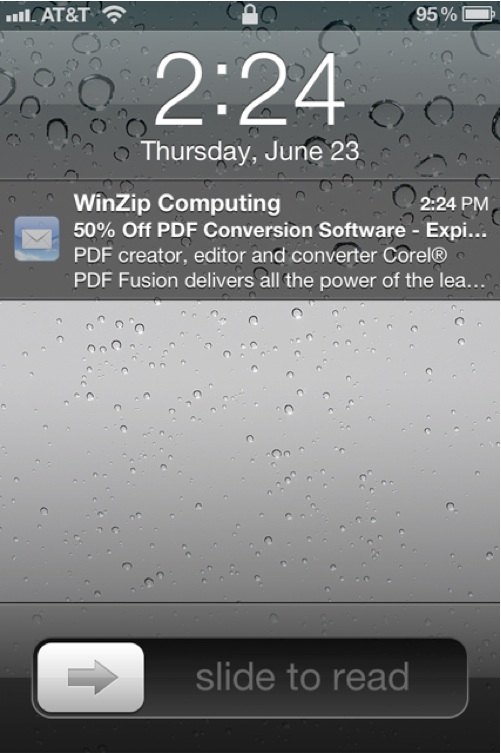
You can slide to read the incoming notification, or deal with it later. No more having to open the email application to see what’s been delivered. This is something Android doesn’t offer currently, and is very helpful to see what’s happened, without having to unlock the phone.
PS: The style of notifications you get on the lockscreen for receiving a text has changed with iOS 5 beta 2 to something that looks like this:

– iCloud:
I have yet to fully harness the powers of iCloud, mostly because of our ridiculous internet. But I can see the potential. The other day, I downloaded the Lebanese iPhone camera app Dermandar on my Mac. Then, moments later, I saw that it was downloaded on my iPhone as well. I also set up an @me email, which I have yet to use extensively as I’ve gotten way too used to gmail for my liking. But, hate or like iCloud, the potential is definitely there. How Apple advances with this will determine whether this is something people will love or not.
David, on the other hand, isn’t as positive about iCloud.
David: Apple also introduced iCloud with iOS 5. iCloud promises “cloud services done right.”
I’ll have to disagree. Don’t get me wrong, there are some really nice additions, but I feel it ultimately falls short.
Having contacts, calendars, and documents able to be backed up and synced in the cloud across all of your iDevices is great. However, anyone really interested in this is already using Google via their mobile sync for iOS to accomplish this task.
Photostream is my personal favorite added feature. It’s similar to Google, backing up your photos in the cloud, but I just love the feature of adding a folder to the PC or Mac and the photos just show up. (They sync when you connect via WiFi and then are permanently backed up on your personal computer. The last 1000 photos are backed up in the cloud, unlimited on your PC/Mac.)
iTunes in the cloud is basically allowing you to re-download the songs you’ve already purchased to your other devices on the account, or back to your phone. Let’s be honest, this should’ve been in place already. It’s nothing more than a glorified history of your music purchases.
Where I think Apple really missed the mark is with the iTunes Match service. For $24.99 a year, anything in your iTunes library on your PC/Mac is able to be accessed in the “cloud” via your iDevices, even stuff you haven’t purchased from Apple. Sounds great! (I have over 20,000 songs that could potentially be offered to me even though I’ve only purchased literally 30 of those through iTunes)
Here’s the problem.
Let’s say you are out and about with your iPhone. You look at the selection on your phone, nothing’s doing it for you. So you reach out to iTunes Match to grab a song off the cloud that’s on your library at home. Stream it right? Unfortunately that’s not the case. You have to fully download the song. Compared to Google Music (beta) and Amazon’s Cloud Player, it’s really a disappointment in comparison.
I, personally, see David’s point with iTunes Match. But we need more info about the service to fully judge it. If Apple will in some way “iTunes-ize” all our songs and we get to keep them after the year is up, then I think iTunes match is a great service. If the songs get deleted after a year, then I think streaming them would have been a much better option.
Other notable additions include the total integration of twitter in the iOS which I’ve only used so far to tweet a few pictures. Wireless syncing is also there and it has been activated in beta 2, as were OTA updates.
However, something that wasn’t advertised and that I found was interesting, especially while making calls, was a pop-up screen about how unsecured my call was.
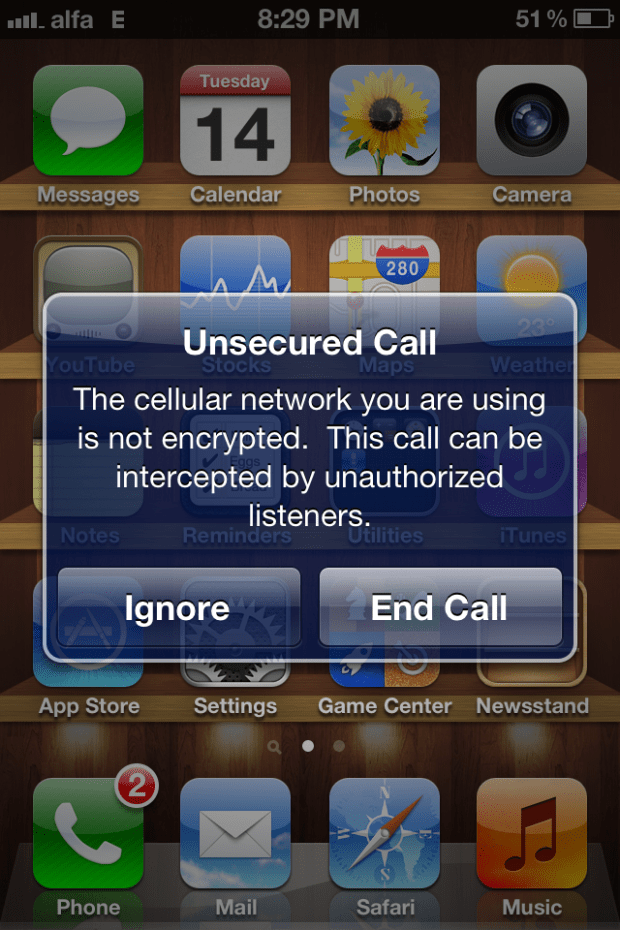
Not sure if this is only exclusive to my Lebanese carrier but I figured it’s worth to note the existence of such a thing.
David: WiFi Syncing and No PC set up are in iOS 5 as well, and honestly, these are long overdue: a nice enhancement, but nothing groundbreaking. Being able to back up into the cloud and restore your settings and app data is great too, but again, a little late to the party.
All in all, I think iOS 5 does somethings better than Android, it’s also falls short in some, particularly the cloud offerings.
iOS 5 brings some much needed enhancements, offer some really cool new features and shortcuts (You can now get to the camera from the home screen by a double click of the home button. Yay!), and bests Android in notifications.
It’s a worthy upgrade that all of you should jump on as soon as you can.
And here it is folks, our experience with iOS 5 so far. And as David said, the moment the update is available for the public, you absolutely need to update! It’s that awesome!
David can be contacted via his twitter account or his Facebook account.












 A Separate State of Mind | A Blog by Elie Fares